
Getting Valorant mobile outside China isn’t rocket science
Getting Valorant mobile outside China isn’t rocket science
Want to play Valorant Mobile outside China? Here’s a step-by-step guide to download, install, and play the game safely on Android and iOS with a VPN.
Valorant Mobile is live, and currently limited to Chinese servers. But yes, you can install it anywhere in the world. It’s handy for anyone itching to bring tactical FPS action into their pocket before the global release. Just be ready for a few workarounds.
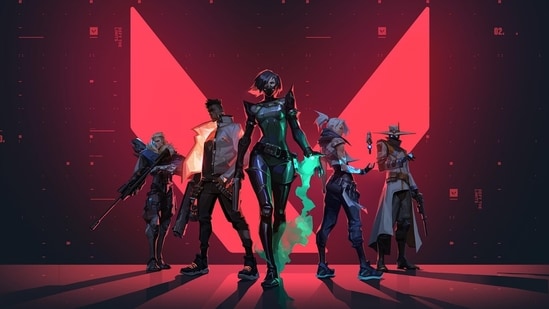
Step 1: Downloading the game
On Android
You can’t find this on Google Play yet. Instead:
- Install the “Popcorn App” (3839 Popcorn).
- Open the app, find the Valorant Mobile page, and hit Download.
- Allow the APK install once prompted.
- Let the game complete its in-app resource download—needs over 4 GB storage.
You’ll need to log in using WeChat or QQ. Make sure your account is verified.
On iOS
You’ll need to trick the App Store:
- Go into your profile settings, tap Country/Region.
- Select Mainland China. Use a random Chinese address if required.
- Update, then search for Valorant Mobile and install.
Step 2: Playing the game
Once downloaded:
- Log in with a WeChat or QQ account—no Riot ID here.
- Your first gameplay attempts will likely require a VPN, specifically one routing through China. This ensures smoother connection and avoids being kicked out mid-session.
Pro tips for smoother gameplay
- Keep a VPN active the entire time, you’ll need one not just at login, but during the match.
- Watch your storage: that in-game resource pack is over 4 GB.
- Expect lag if your VPN isn’t optimized for Chinese servers.
Why go through this hassle?
If you want the earliest hands-on with Valorant Mobile in its beta phase, and the global launch date still isn’t fixed, this method gets you in. Just be patient, some VPN setups, permissions tricks, and minor inconvenience come with early access.
So yes, you don’t have to wait out the long beta queue. With a VPN and a WeChat or QQ login, you can download and play right now. If you hit snags like resource download stalls or login failures, VPN reroutes or re-logins usually get you across the line.
Enjoy the grind, and may your Valorant Mobile rollout be worth the extra effort.
.freemium-card h4{color:#fff; padding-bottom:20px;} .freemium-card .freemium-content .subcTxt{padding-bottom:16px; color:#fff;} .freemium-card .freemium-content{width: auto; max-width: inherit;} .freemium-card .freemium-content .subcTxt{max-width:inherit; font-size:18px; padding-top:0; line-height:24px} .freemium-card .btnSubc{margin} .freemium-card .btnSubc a{background:#000; color:#fff; min-width:auto; padding:5px 15px; border-radius:6px; font-size:16px; line-height:22px; font-weight:700;} .freemium-card{height:285px} @media (max-width: 767px) { .freemium-card h4{font-size:28px} .freemium-card .freemium-content{max-width:360px; padding: 20px;} .freemium-card{height:303px; background-position: 100% 0; } }
